How to Install TotaLite Camera
TotaLite Camera Installation
The TotaLite Camera needs to be mounted on a rigid support, such that both short-term movements (vibrations) and long-term movements (gradual rotations or translations) are minimised. TotaLite has the options to correct for small gradual rotational motions using on-board accelerometer and fixed reference points in the field, find out more on Compensation Methods.
Requirements for Camera Mounting
⚠️The TotaLite Camera needs to be mounted on a rigid support, preventing any yaw movement.
⚠️ TotaLite does not compensate for any translational movement. For optimal system performance it is strictly required to have secure rigid mounting. See Compensation Methods.
⚠️ It is not advised to mount the camera with a pitch and/or roll angle of more than 20°, data quality might be hindered (see Compensation Methods.)
Mounting Options
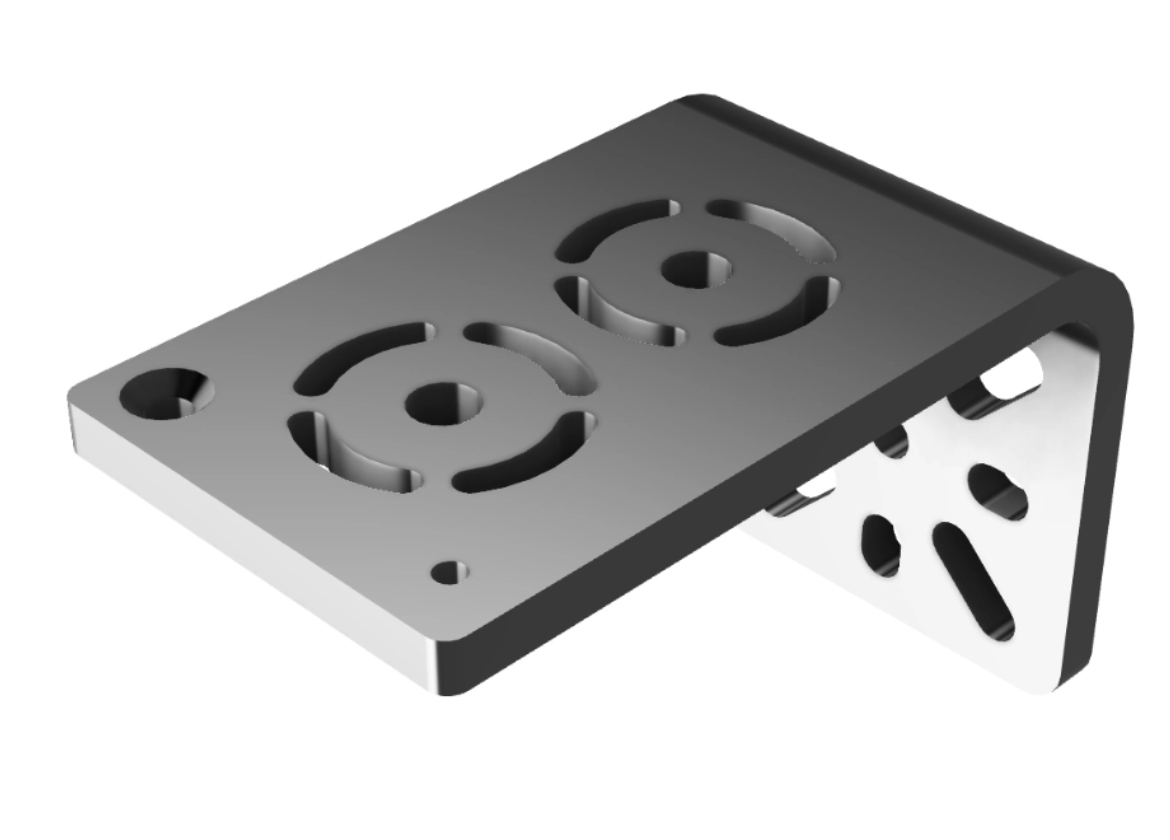
Bracket
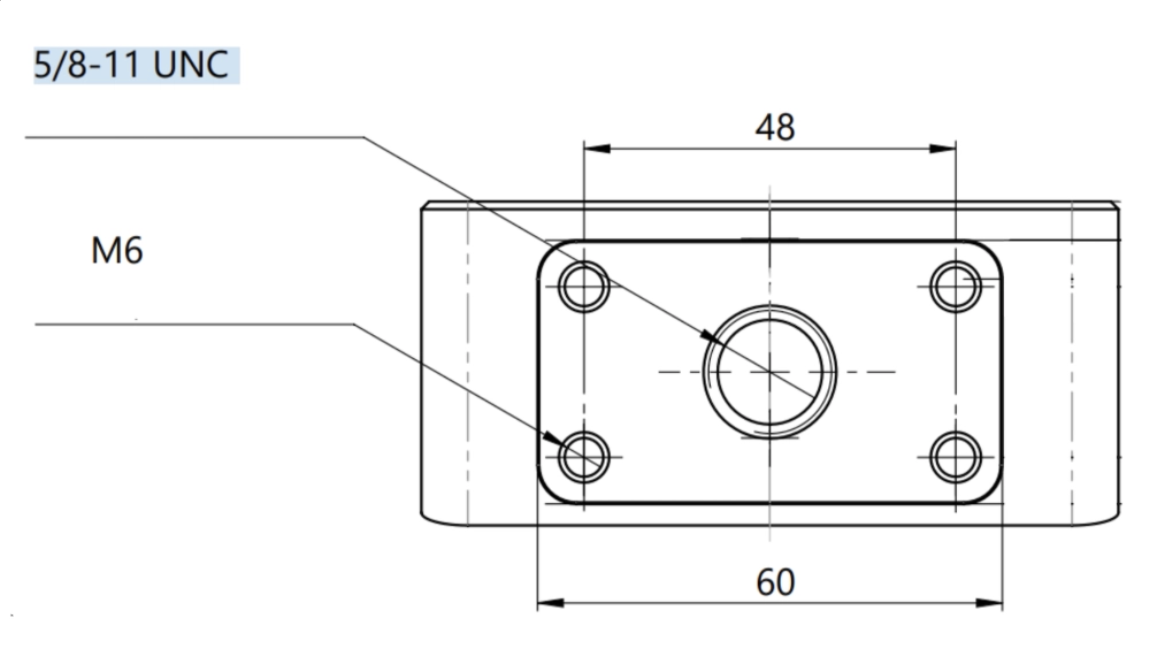
- The Camera has 4 x M6 screw holes for securing to the bracket through the circular bores.
- It is not advised to use the centre bore of the bracket for the mounting as it might introduce unnecessary yaw, please fix the camera to the bracket with the 4xM6 bolts via the circular bores.
- The bracket can be attached to poles between 50-60mm in diameter using standard U-bolts or with strong magnets.
- You can rotate the TotaLite on the horizontal plane on the bracket.
- When possible/necessary, the bracket can be attached to a sturdy wall, by drilling holes and using appropriate threaded screws to secure the bracket.
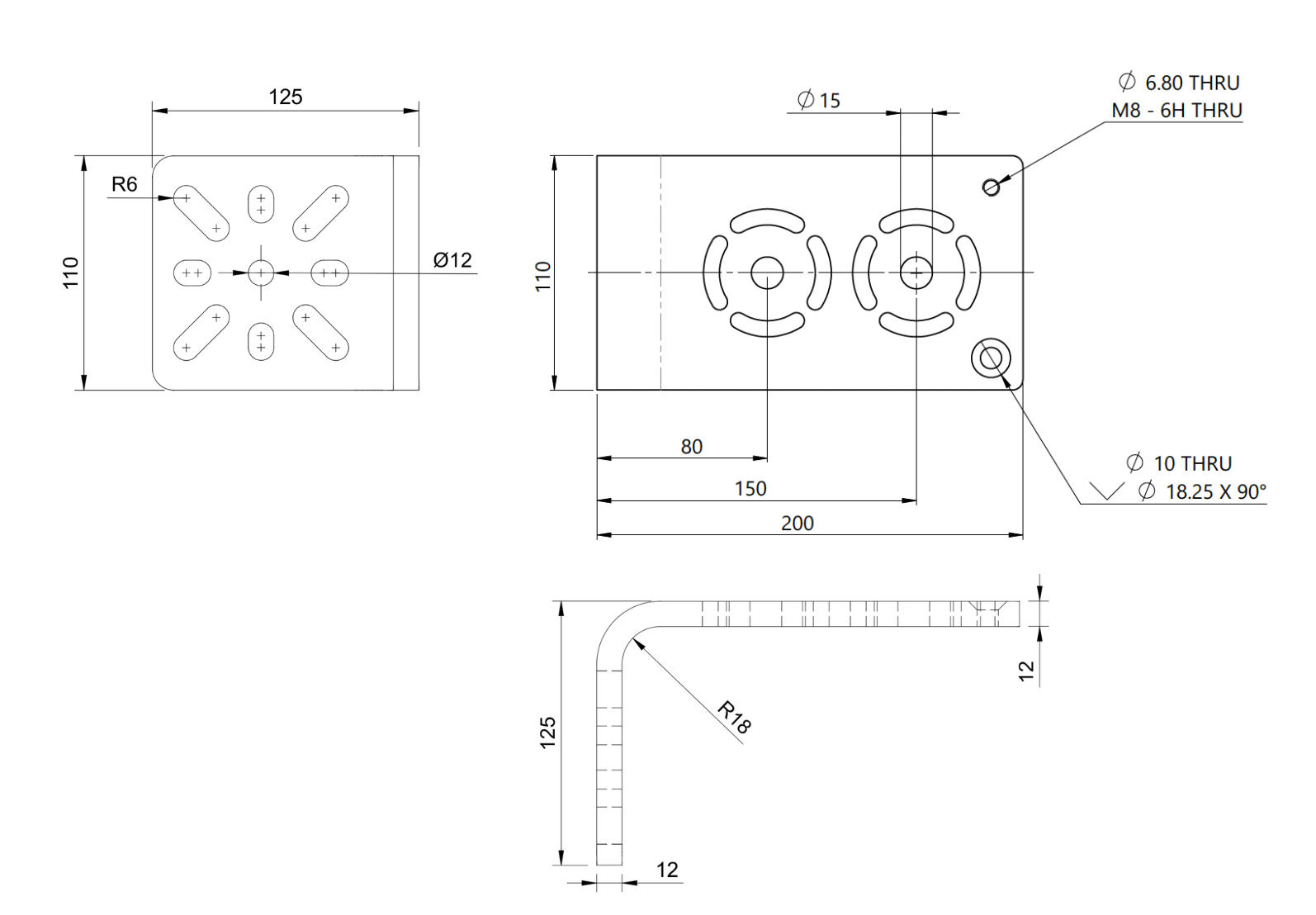
- The bracket is 10mm thick.
- The camera is IP68 rated
Tripod
-
For in-office and short usage, a standard surveying tripod can be used (TotaLite has a single 5/8”-11UNC mounting screw-hole).
⚠️The tripod is not advised for long-term usage, as it doesn’t provide a stable enough position of the camera and might hinder data quality over time.
Positioning Requirements
When it comes to mounting TotaLite Camera there are certain positional requirements to keep in mind such as:
- Possibility to add reference targets in the monitoring network set-up.
-
Possibility to mount the camera with <20° pitch and/or roll.
The reason is to account for compensation of own movement of the camera, see Compensation Methods for a detailed explanation.
Shortly, the requirement is to have the camera installed <20° pitch and/or roll and secure the bracket such that the camera won’t Yaw, with such a set-up, no reference targets would be necessary.
If the camera is suspected to yaw, 1 reference target would be needed, and if the camera is installed with >20° pitch and/or roll, an additional reference target would be needed for a total of 2.
Weather protection and maintenance
TotaLite Camera features an IP68 rating (waterproof for 30 minutes in up to 1m of water and max. Rating 6 for dust protection) and come with a white shield to prevent overheating in direct sunlight.
It is important to note, TotaLite Camera is designed to self-clean the lens, with the use of the TotaLite Shield.
TotaLite Team does not supply watertight containers for the power supply, and it is up to you to secure the power supply.