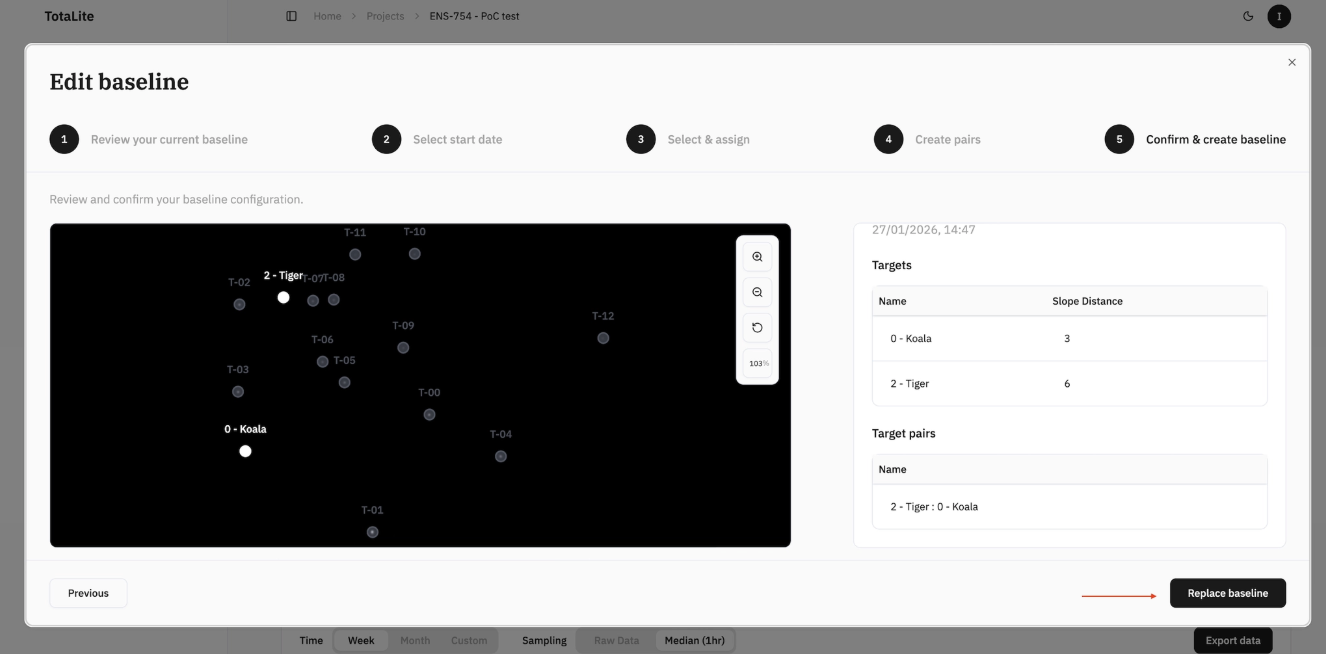
How to edit the baseline in TotaLite Platform
Need to make a change? Navigate back to the "Project Page" and click "Edit baseline" for the relevant sensor. The same wizard used to create the baseline will open — with all previous configuration intact. Target names, slope distances, and reference targets are preserved. From here you can add new targets from the available candidates, remove unwanted ones, and update target pairs.
The platform will suggest the best timestamps for a new baseline. Only targets visible to the sensor at the chosen timestamp will appear.
Note: Editing and replacing a baseline will trigger reprocessing of all existing data to reflect the new reference point.
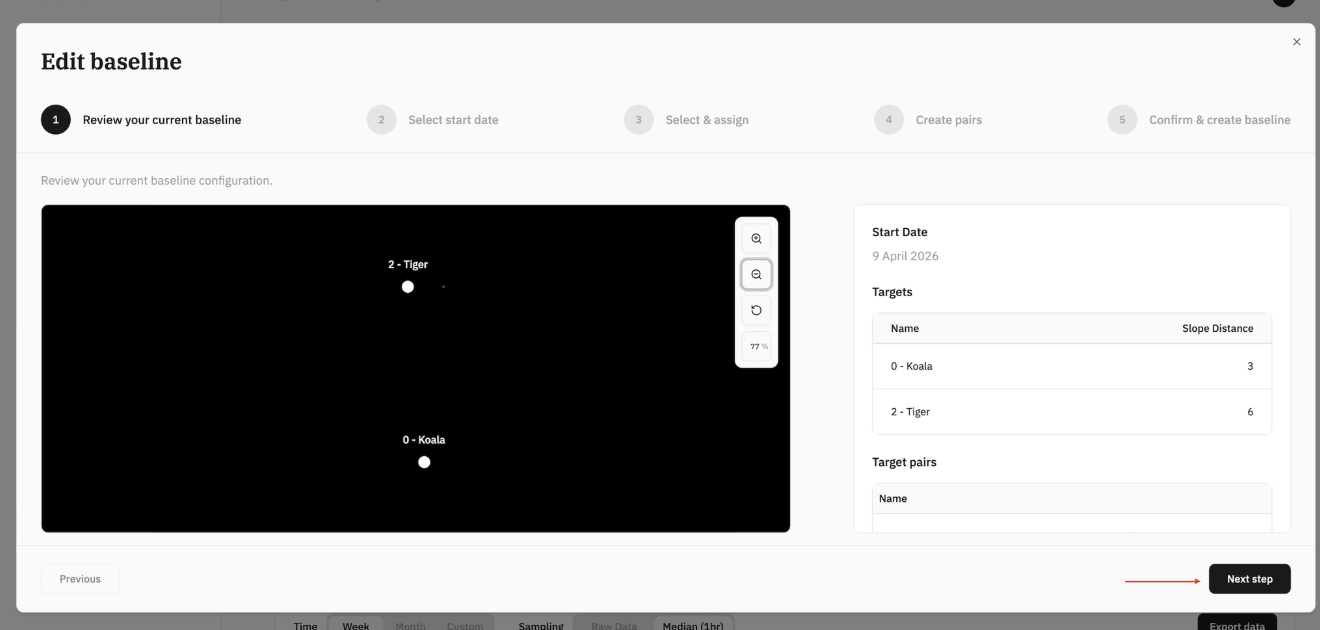
Step 1 — Review current baseline
Click "Next step" to proceed to timestamp selection.
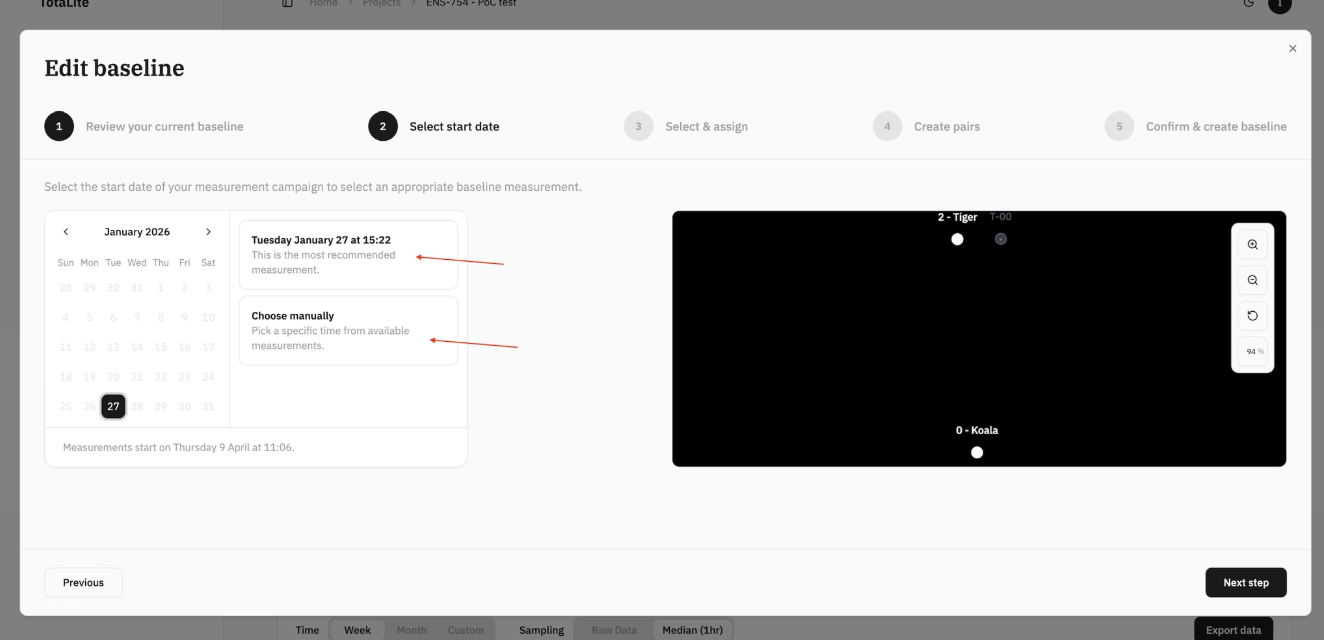
Step 2 — Select start date
Choose a new timestamp manually or select the platform's recommended option.
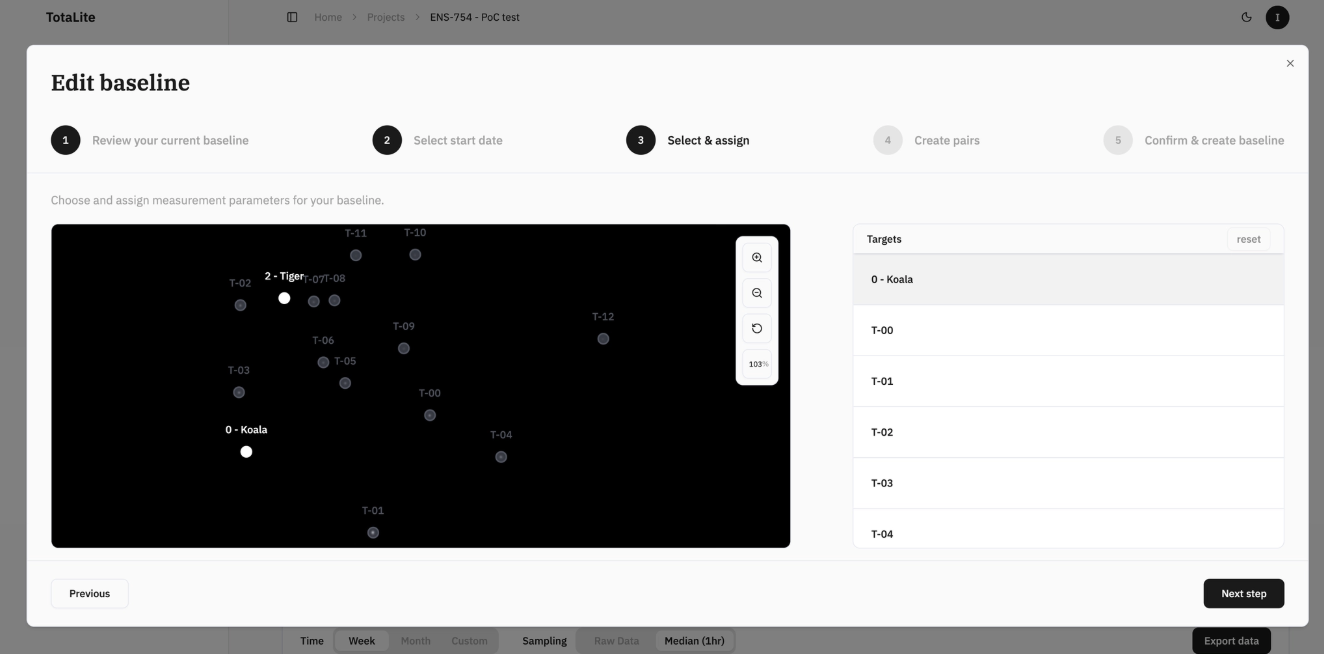
Step 3 — Add or remove targets
Add new targets from the available candidates or remove ones no longer needed.
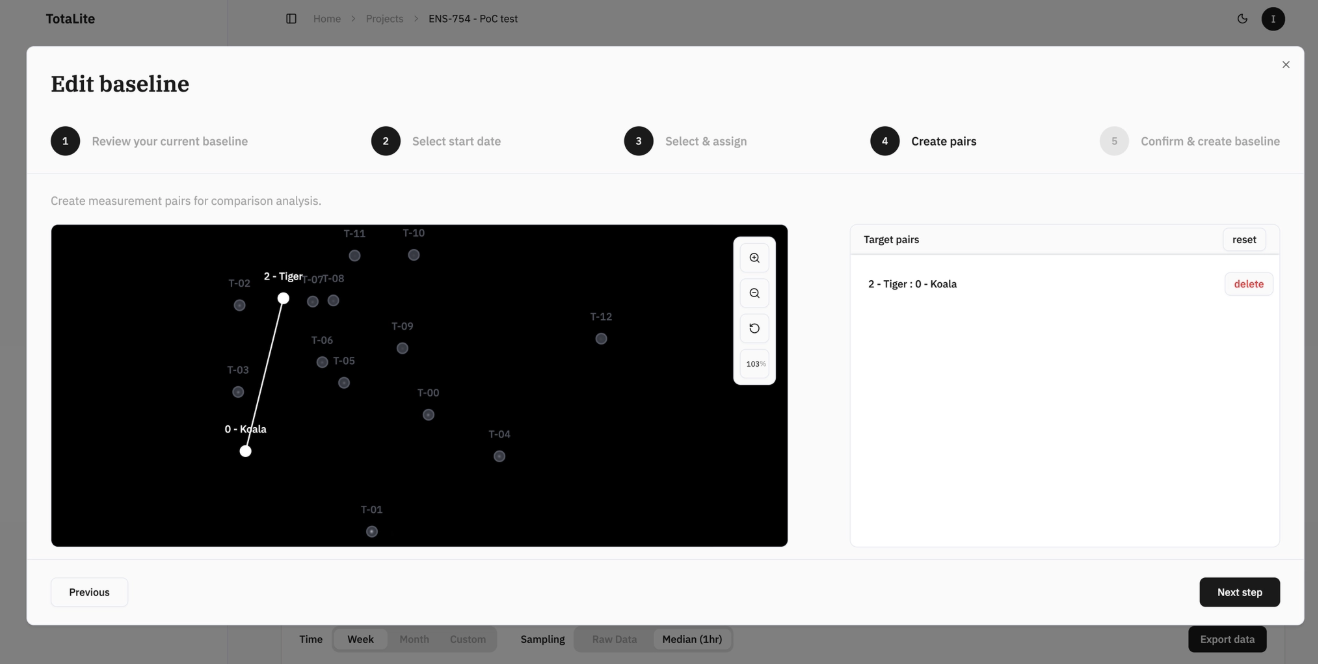
Step 4 — Set up target pairs
Update or create new target pairs as needed.
Step 5 — Confirm & replace
Review your new baseline configuration and click Replace Baseline to save.