How to manage your projects in TotaLite Platform
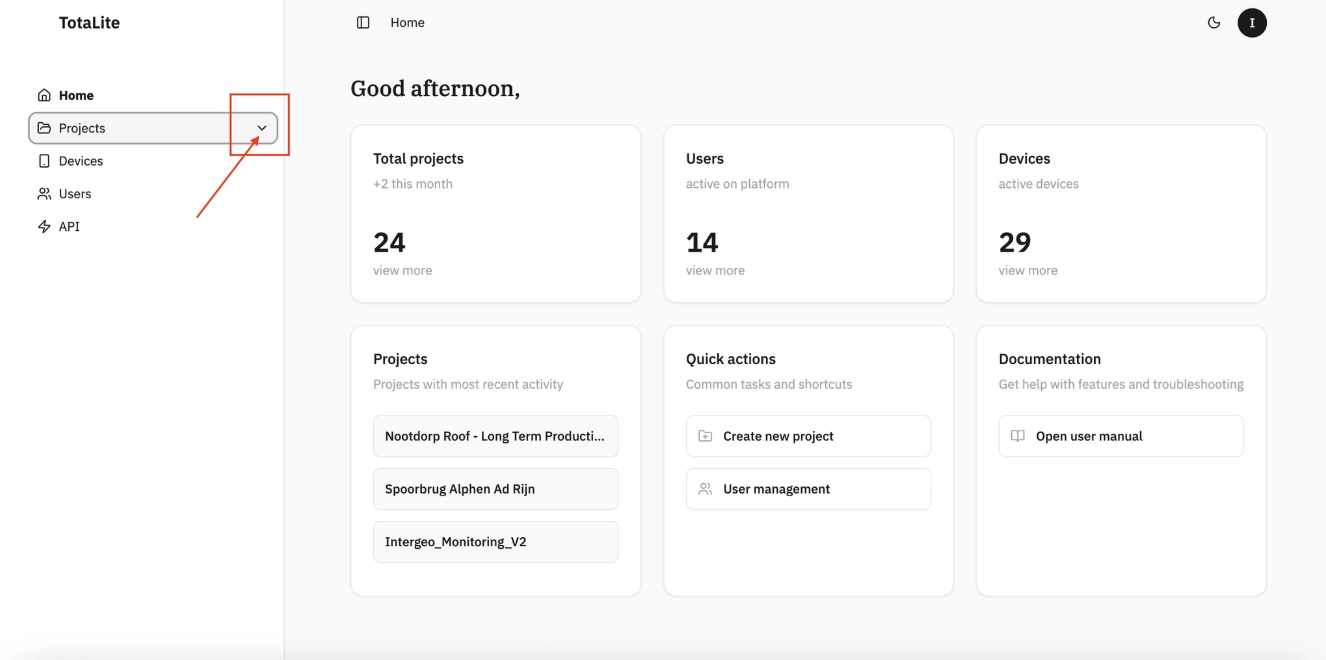
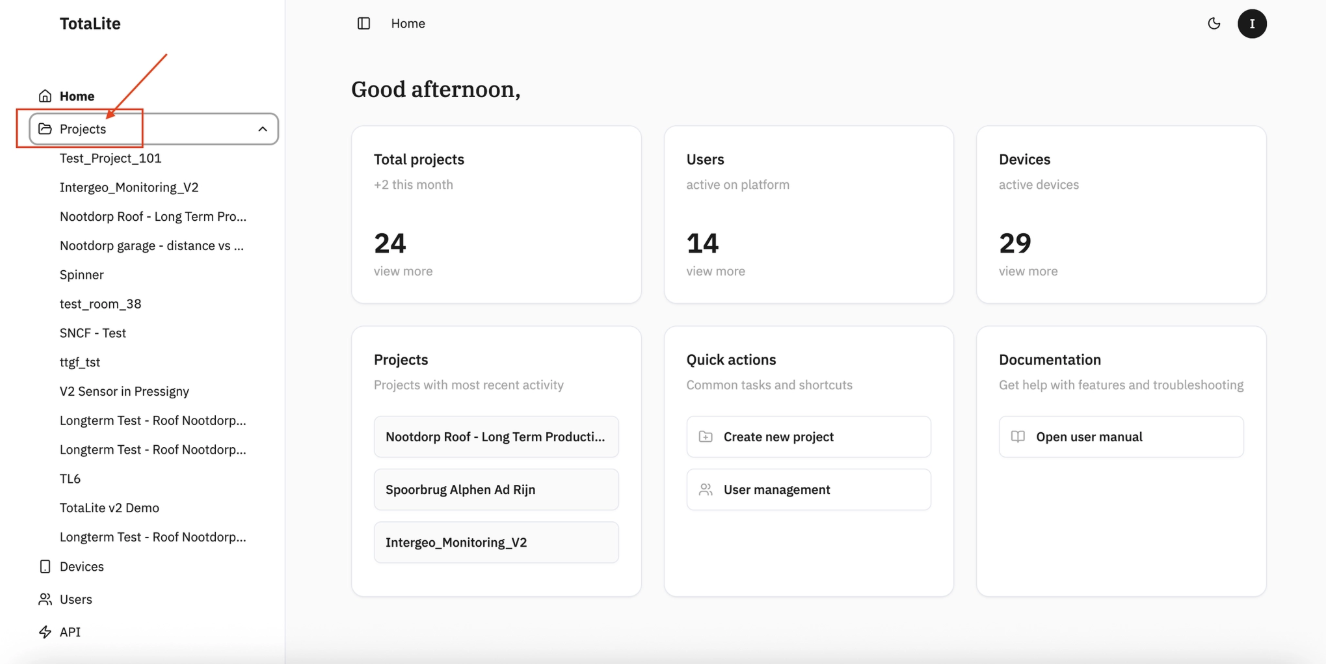
To get a quick overview of all projects, click the dropdown arrow in the left navigation panel, it will expand to show your full project list.
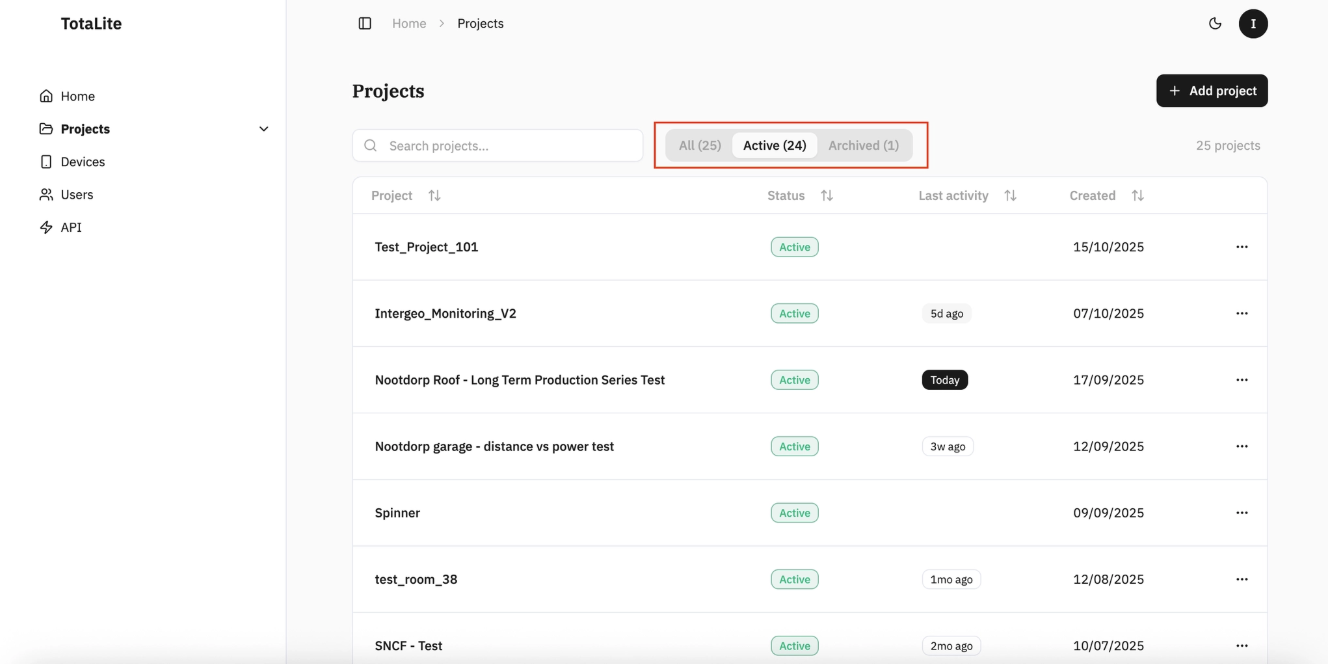
Navigate to the "Projects" page by clicking the "Projects" tab on the left. Here you'll find three views:
- "All" - every project in your organisation
- "Active" - currently running projects
- "Archived" - completed or paused projects
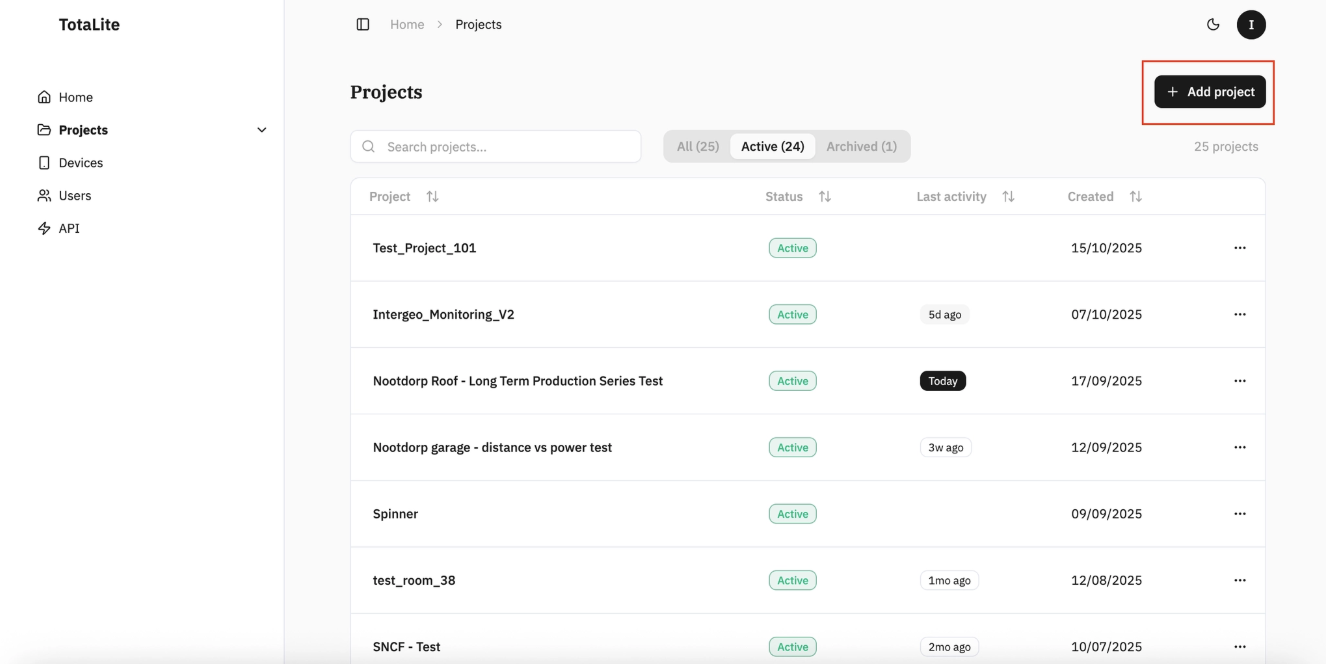
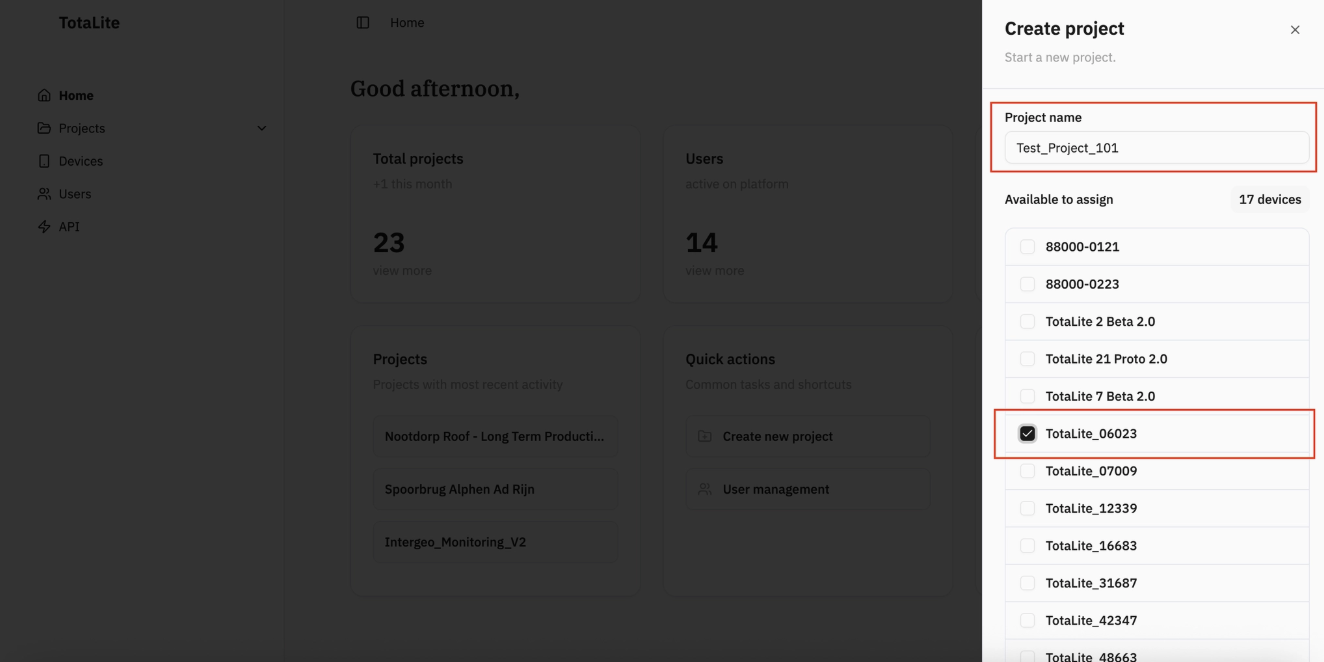
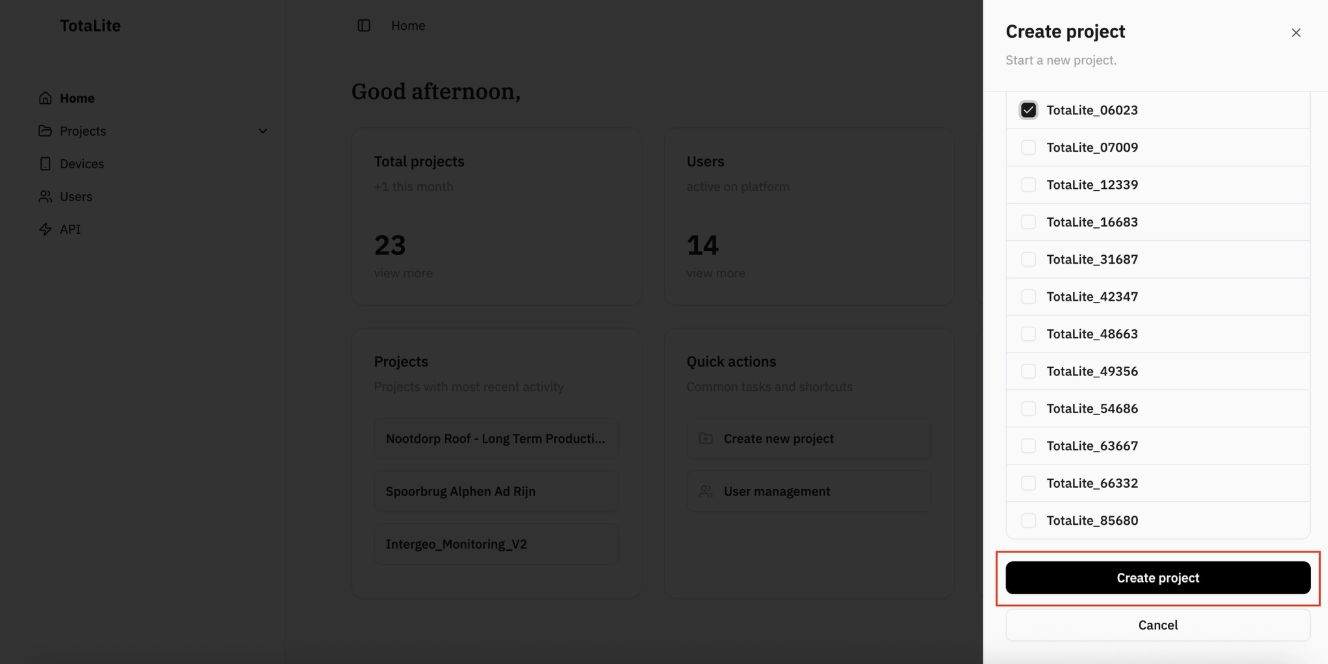
To add a new project, click "Add Project" in the top-right corner. A sidebar will appear, give your project a name and select the device to assign to it. Scroll down and click "Create project" to save.
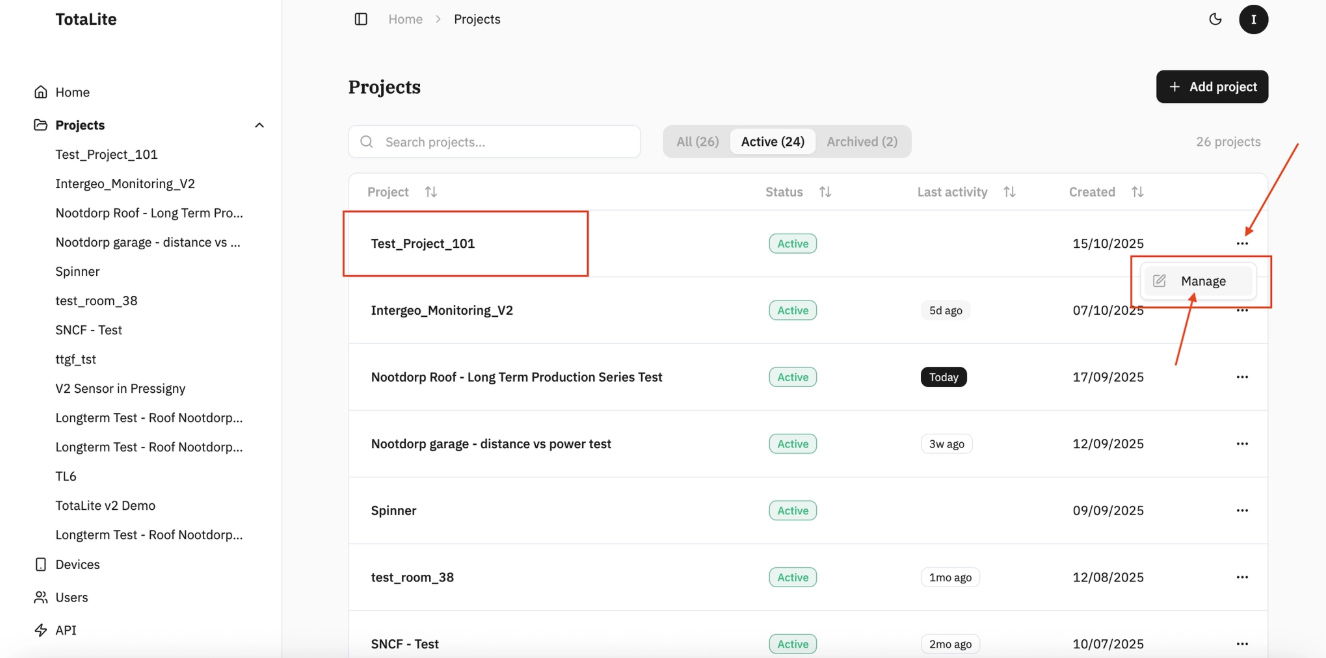
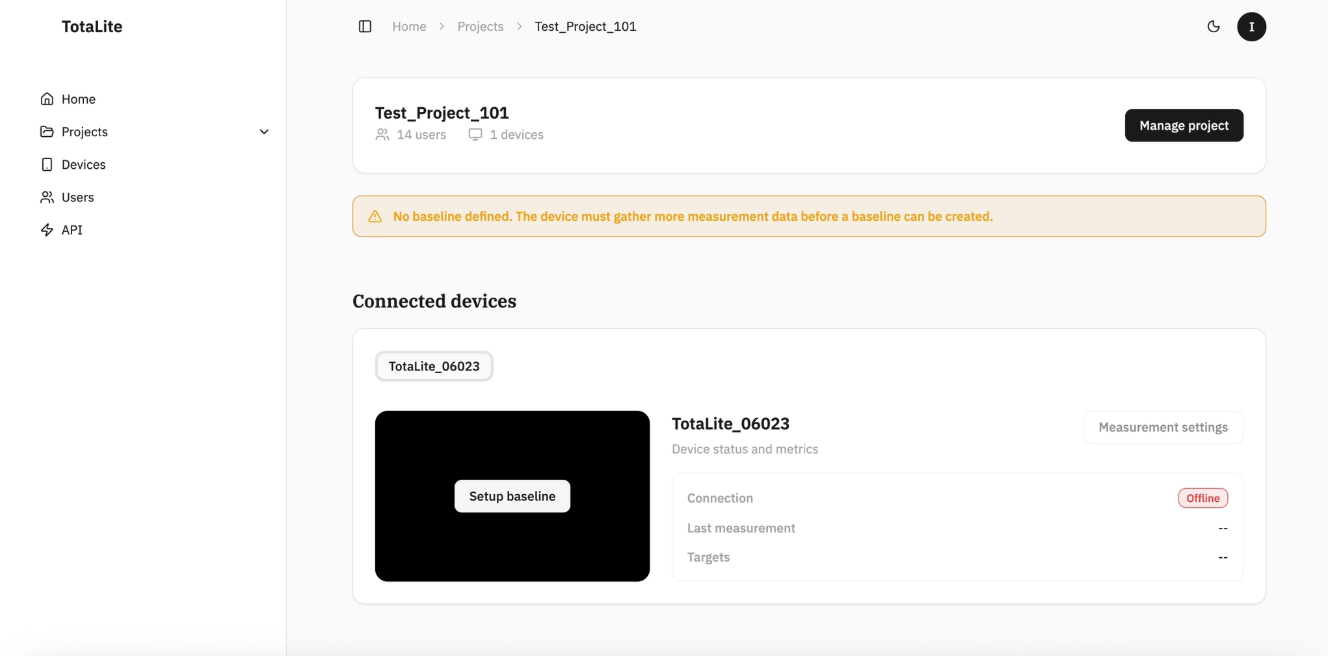
Once created, your project appears in the list with its "Status", "Last activity", and "Created" date visible at a glance. Click the project name or select "Manage" from the three-dot menu to open the project page and view all project information, covered in detail in the "Project Information" section.