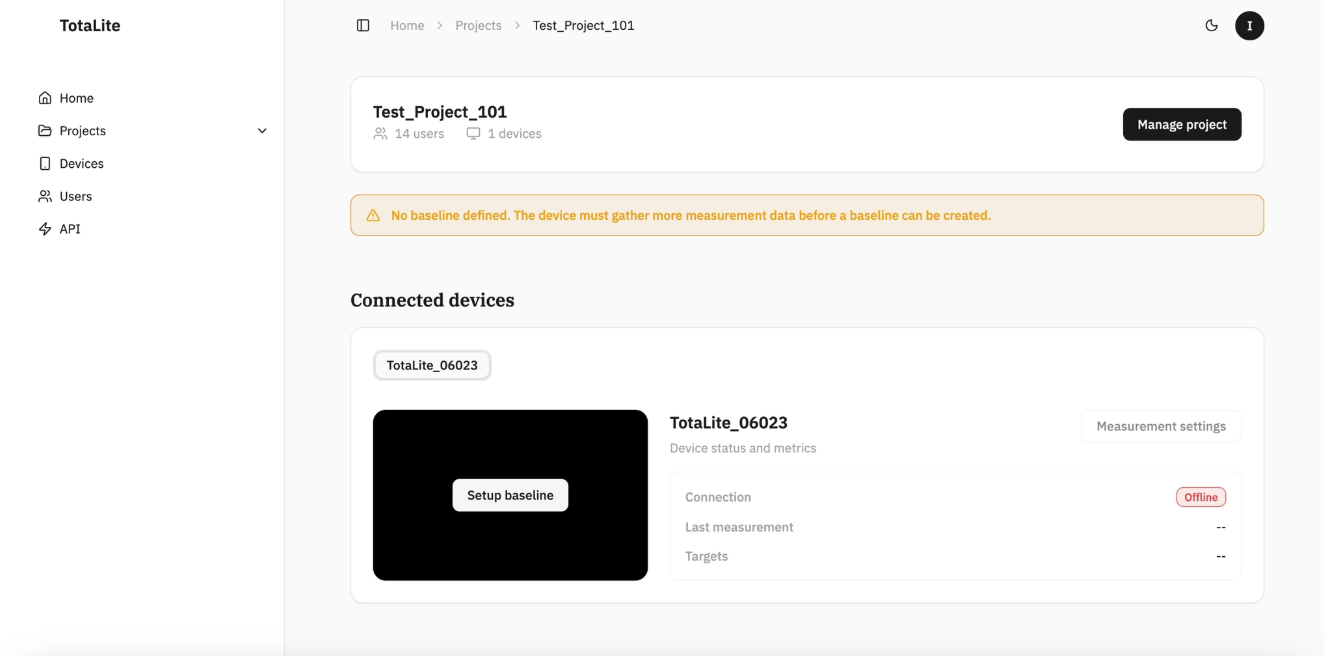
Making a project in TotaLite Platform
Every TotaLite deployment starts with a project. Here's how to create one.
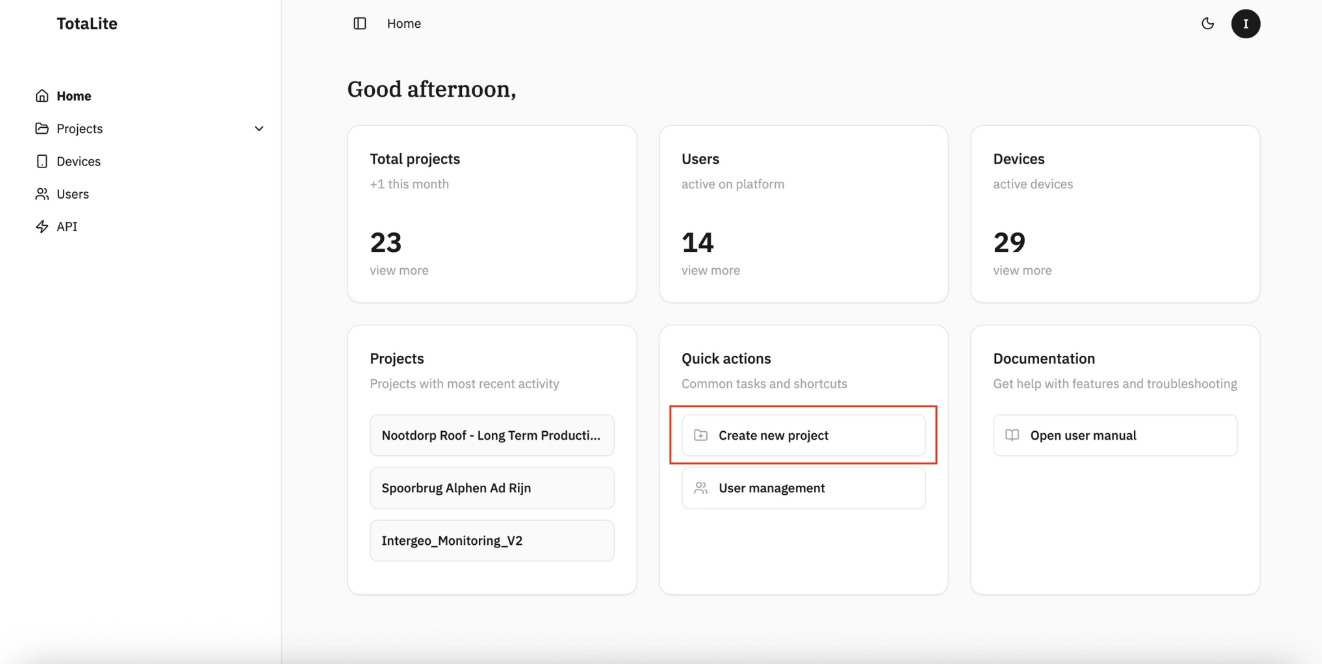
From the Home Page, click "Create new project" under the "Quick Actions" panel.
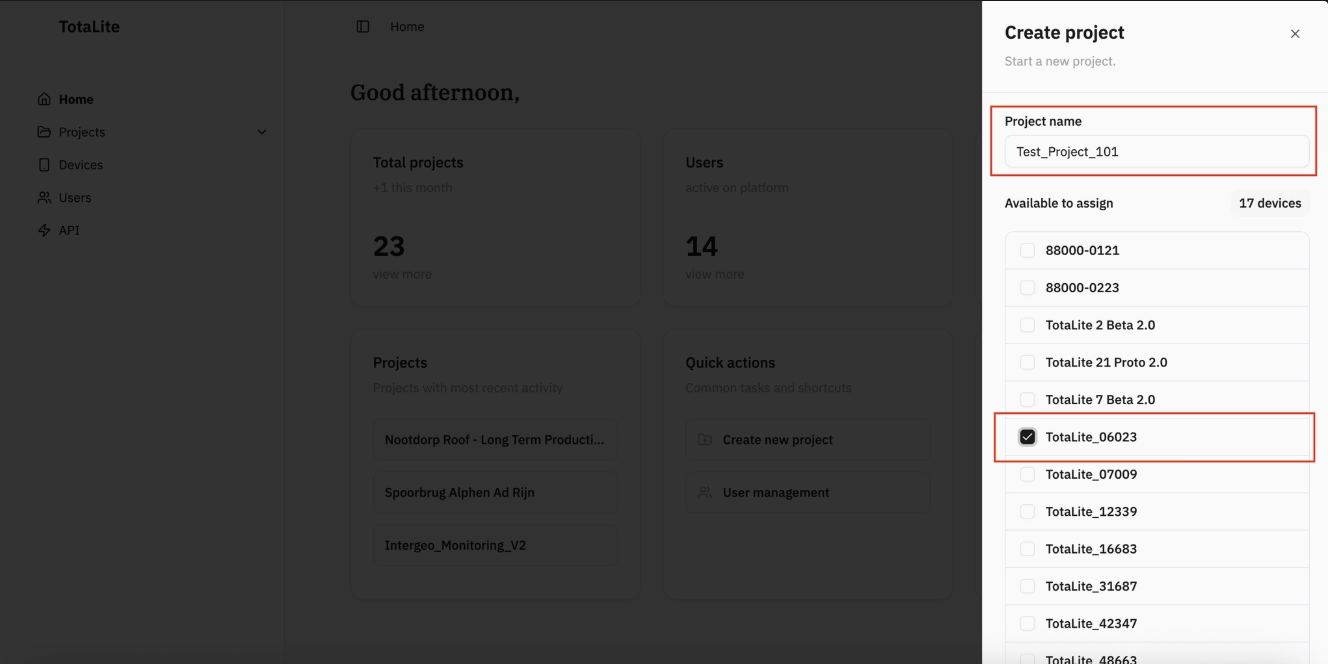
A sidebar will appear on the right — give your project a name and select a device to assign to it.
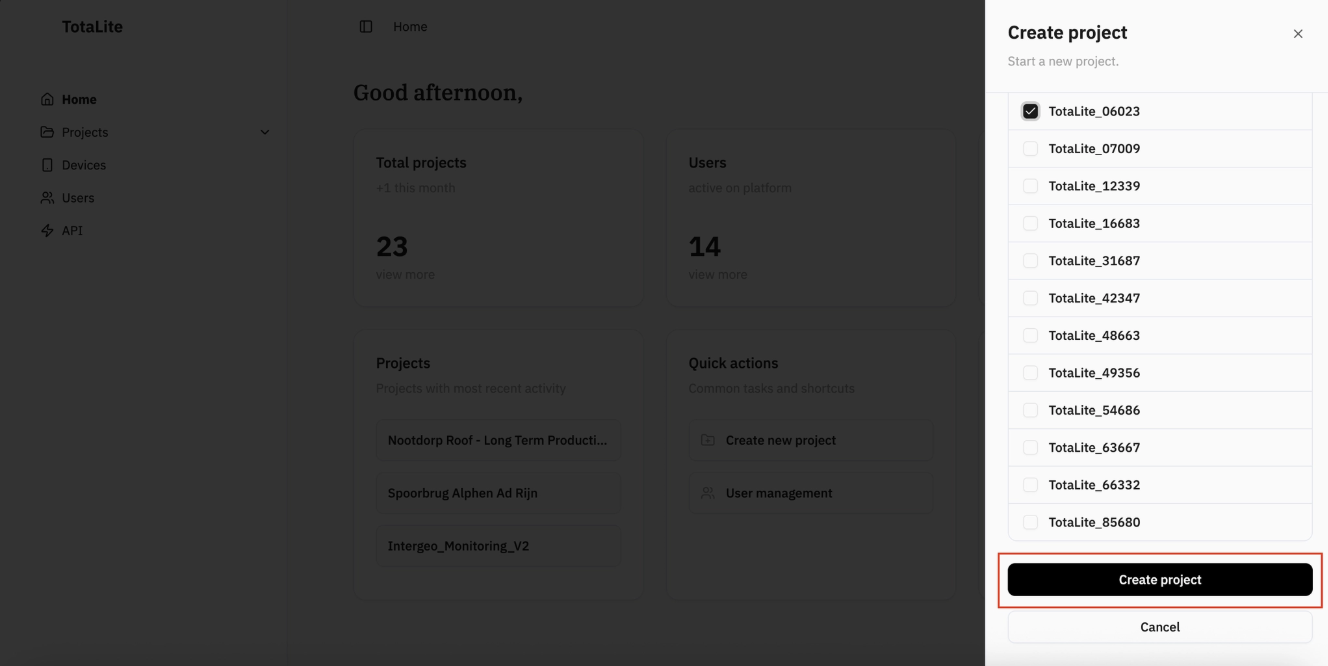
Scroll to the bottom of the device list and click "Create project" to save.
Your new project will appear in the "Projects" page. For a full breakdown of what's inside, see the "Project Information" section.