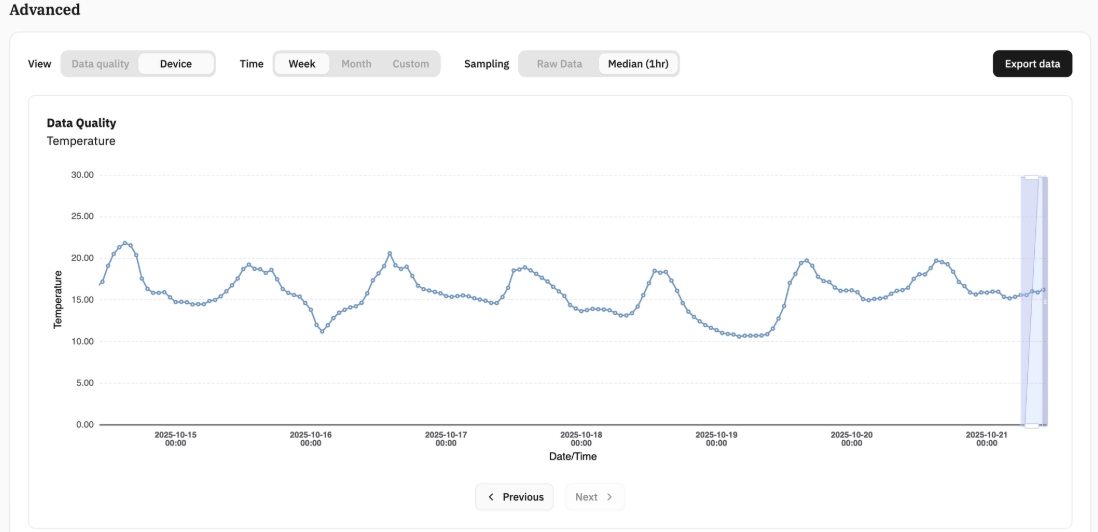
The “Device” section under TotaLite Platform>Devices>Device_Selection has 3 metrics, showing Temperature, Sensor Input Voltage and Sensor Rotation.
The data can be visualised weekly, monthly and customised to a certain period, the sampling can be visualised as “Raw Data” which are all the data points available depending on measurement frequency and the “Median”.
Temperature
Temperature measurements are used to monitor the sensor's optical system temperature to identify measurement influences caused by thermal effects.
Impact on Measurements: Temperature changes affect the optical system's focal distance, which can introduce systematic errors in displacement readings. This is particularly important during rapid temperature fluctuations or extreme environmental conditions.
Usage: Compare temperature data with displacement measurements to distinguish between actual structural movement and thermally-induced measurement artifacts.
Sensor Input Voltage
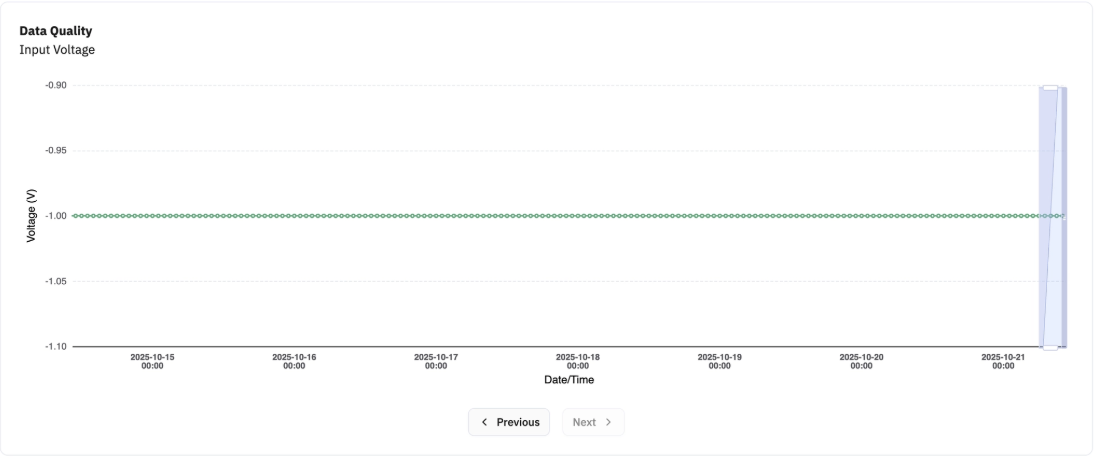
Monitor the power supply voltage to ensure stable sensor operation and identify potential power-related issues.
Purpose:
- Verify power stability - Confirm voltage remains within the required 9.5-24V operating range
- Detect power problems - Identify voltage drops, fluctuations, or supply issues that could affect performance
- System diagnostics - Troubleshoot measurement inconsistencies that may be power-related
Usage: Review voltage data to ensure consistent power delivery and diagnose any measurement anomalies that correlate with power supply variations.
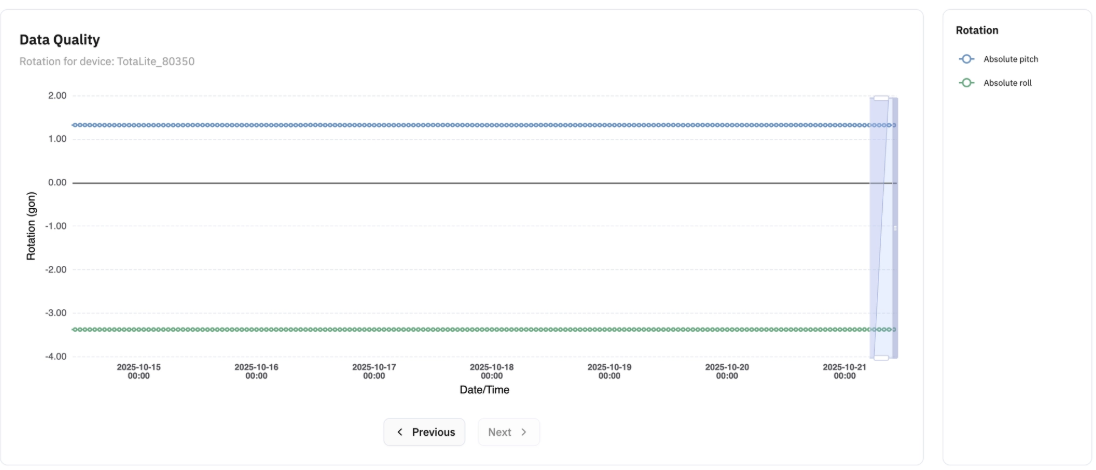
Sensor Rotation
Track rotational movement of the TotaLite sensor itself to verify mounting stability and assess compensation performance.
Purpose:
- Verify sensor stability - Detect unwanted sensor movement that could affect measurement accuracy
- Monitor compensation - Confirm the built-in motion compensation algorithm is functioning correctly
- Quality assurance - Identify potential mounting issues or structural problems with the sensor installation
- Usage: Review sensor rotation data to distinguish between actual target movement and sensor-induced measurement variations. Excessive sensor rotation may indicate mounting problems requiring attention.